The AI novel app that keeps your book on your own disk.
Write on a quiet page. Suggestions wait in the margin until you take them, and nothing goes into your text unless you say so. Your characters only know what they have lived so far, and every suggestion follows the rules of your world. Use your own AI key, one simple plan, or no AI at all.
Free for Windows 10 and 11. Android version coming soon.
Exprose helps you write your novel. It does not write it for you.
Built for writing a book, not for generating one.
And it never hides your work in someone else's cloud.
Your book stays on your disk
Every book is a folder of plain Markdown and JSON files in your Documents. Open them in any editor, back them up however you like, and leave whenever you want.
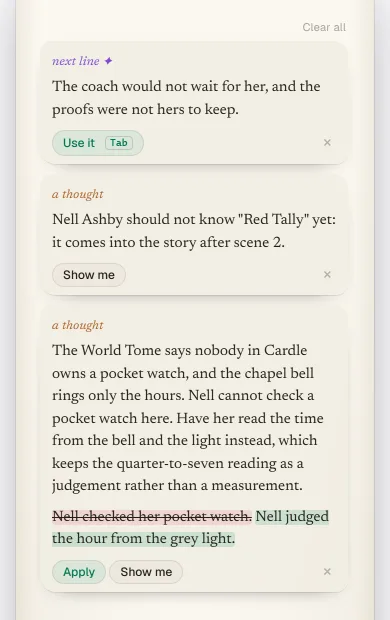
Suggestions wait in the margin
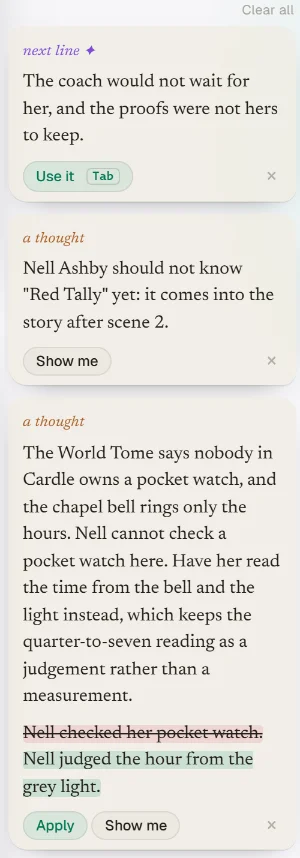
A next line, a polish, a thought, a scene idea. Each one sits beside the page with one accept and one dismiss. Nothing is ever inserted for you.
Characters only know what they have lived
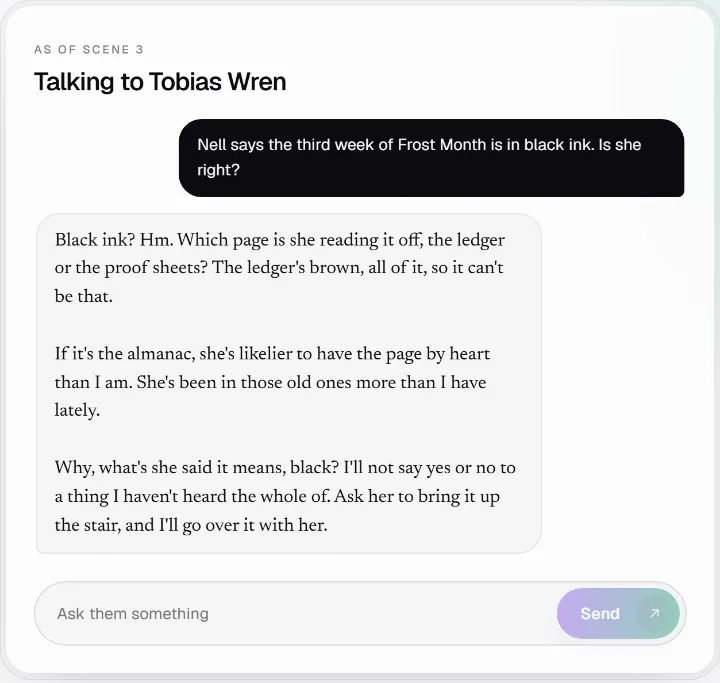
Talk to a character as of any scene. They answer from what has happened to them so far, and a check flags anything they could not know yet.
Checked against your world
Write your world's lore and rules in the World Tome, in your own words. Suggestions follow it, and a line that breaks a rule gets a note that names the rule.
Works without AI too
Switch AI off and you still have the page, characters, World Tome, scene cards, the reader, consistency checks, import and export.
Your key, or one simple plan
Use a key from Anthropic (Claude), OpenAI, Google Gemini and others, a model on your own computer, or Claude Code. Or skip the key: Exprose AI, a no-setup subscription, is available now in the browser version, and in the Windows app with its next update.
A sheet of paper, with help in the margin.
Write is the whole manuscript as real book pages, chapter after chapter. Stop typing for a moment and small notes drift into the margin. Ignore them and keep going; they will wait.
- next line: press Tab or Use it to take it.
- a little polish: a rewrite shown before and after, applied only on click.
- a thought or a small fix: continuity, voice, banned words, a rule of your world.
- what if…: an idea for the next scene. Add scene creates it after this one, without moving you.
- someone new?: a name that is not in your cast yet, ready to become a character.
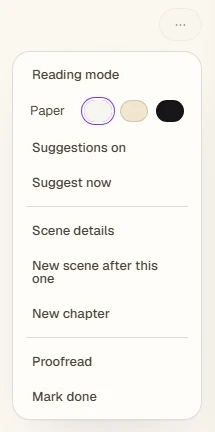
Every change has Undo. Suggestions can be turned off from the page menu.
Ask your characters. They will not spoil your plot.
Write about each character on their own page, however you like. Then talk to them as of any scene. They answer from what they have lived up to that point, so a conversation in chapter 7 cannot leak what happens in chapter 9.
- Knowledge horizon: pick the scene; the character knows only what came before it.
- Leak check: a rule-based check, not a guess by the AI, flags answers that mention something introduced later.
- Slips while you write: if your point-of-view character mentions something they have not learned yet, a note says so.
No account, no upload, no lock-in.
The Windows app keeps each book in its own folder under Documents\Author Studio. Every version of every scene is kept as its own Markdown file. If Exprose disappeared tomorrow, your book would still be there, readable in any text editor.
When you use AI with your own key, your text goes from your computer straight to the AI company you chose. Nothing passes through us. How privacy works
Documents\Author Studio\
  the-salt-archive\
    project.json
    characters.json    # your cast
    characters\mara.md # a character's page
    tome.md            # your World Tome
    scenes.json        # scene cards
    facts.json         # continuity
    manuscript\
      <scene>\v1.md v2.md …
Easy on the eyes at any hour.
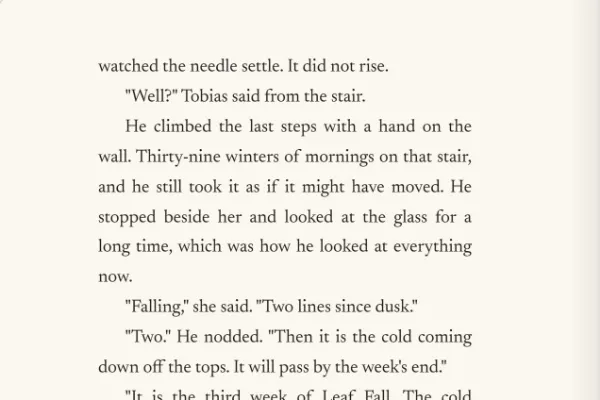
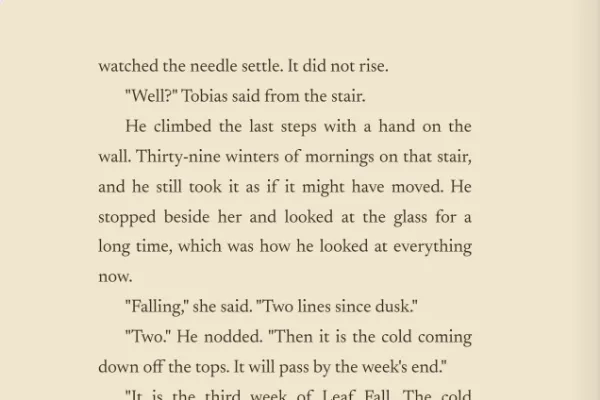
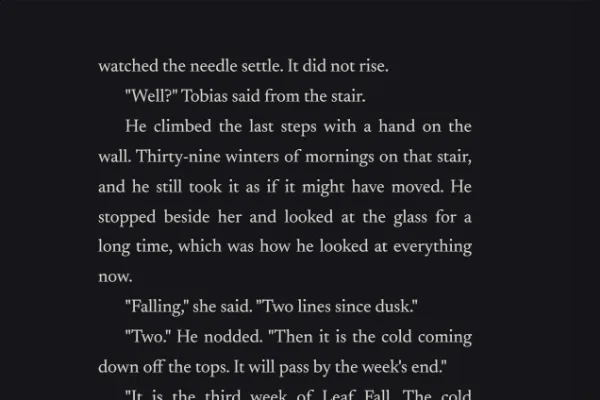
Pick the paper you like to write on: paper, sepia or night. Reading mode turns the same book into a page-by-page reader, with contents and your place remembered.
New, small, and honest about it.
Exprose is a young app from a very small team. It does not yet have years of polish, collaboration or cloud sync. Here is exactly what you can use today.
The Windows installer is not code-signed yet, so Windows shows a warning the first time you run it. What to expect
- Windows app (installer not yet code-signed)Available
- Browser versionAvailable
- Android appComing soon
- Exprose AI subscriptionAvailable
Straight answers.
Questions writers ask before they try it.
Is my writing uploaded anywhere?
Your book is saved as files on your own computer. We never receive a copy. When you use AI with your own key, the text needed for that request goes straight from your computer to the AI company you chose. With the optional Exprose AI subscription, it passes through our server to Anthropic and back, and we keep only a count of how much AI you used, never the text.
Will it write my book for me?
No. It suggests and you decide. Suggestions sit in the margin until you accept or dismiss them, rewrites are shown before and after, and every accepted change can be undone. You can also draft a scene with AI from the Tools menu, and that draft is yours to rewrite.
Do I need AI to use it?
No. In no-AI mode every AI control is hidden and you still get the page, characters, World Tome, scene cards, the reader, consistency checks for point of view, tense, timeline and continuity, import and export.
Which AI can I use?
A key from Anthropic (Claude), OpenAI, Google Gemini, xAI, DeepSeek, Mistral or OpenRouter, a model running on your own computer, or Claude Code if it is installed. The app tests the key before saving it. Exprose AI, a subscription with no key to set up, is available now in the browser version: open Exprose in your browser and choose Exprose AI in Settings. The Windows app gets it in its next update.
Can I bring my existing manuscript?
Yes. Import Word, OpenDocument, RTF, Markdown, plain text, HTML, EPUB, PDF, Final Draft or a zipped Scrivener project. The book is split into chapters and scenes. Export goes to Word, EPUB, PDF, Markdown or plain text.
Why does Windows warn me when I install it?
The installer is not code-signed yet, so Windows SmartScreen shows "Windows protected your PC" the first time. Click More info, then Run anyway. The download page explains this step by step.
Is there a Mac, Android or browser version?
Windows is available now. An Android app is coming soon. You can also write in your browser, with nothing to install. There is no Mac version yet.
Start your next chapter today.
Free to download. Bring your manuscript, or start on a blank page.
Free for Windows 10 and 11. Android version coming soon.